
Do small JavaScript projects really need long folder trees and heavy bundlers?
They don’t.
Start with a single index.js and only split when scrolling or context gets confusing.
This post walks you through a practical src/dist workflow, simple naming and file patterns, when to extract modules, and minimal NPM scripts that keep you productive.
You’ll learn flat layouts, import ordering, and tiny wins that make code easy to scan and debug.
Read on to stop over-engineering and build small projects that stay understandable as they grow.
Practical Setup for Structuring Small JavaScript Projects

Small JavaScript projects don’t need heavy frameworks or complex build pipelines. Start with a single JavaScript file that you can actually understand and debug. When you try to organize too early, you’re building folders and abstractions for code that doesn’t even exist yet. That’s a waste of time and it just makes things confusing.
The “start with one file” rule works because you’ll see when structure is actually needed. You’ll know it’s time to split when you’re scrolling constantly, or when you’ve got the same file open in two editor tabs just to reference one function while editing another. Until that happens, keep everything in one place.
A simple src and dist workflow gives you the separation you need without the overhead. Your source code lives in src where you edit it. Your compiled or final output goes into dist where browsers or Node can run it. This keeps things clean and makes it obvious which files are for humans and which are for machines.
Here’s a setup you can use right now:
- Create a project folder with a clear name that matches what the project does
- Add a src/ folder and create an index.js file inside it as your starting point
- Add a dist/ folder where your build tools will output the final code
- Write all your code in that single index.js file until scrolling becomes annoying
- Add a minimal package.json with a script that runs your code or builds it
This setup works whether you’re building a browser widget, a small Node utility, or a quick prototype. You’re not locked in. You can add more folders or files later when the project tells you it needs them.
Folder Organization Patterns for Small JavaScript Projects

When you do need to split files, you’ve got two good patterns to choose from. Feature-based layout groups code by what it does for the user. Responsibility-based layout groups code by its technical role. For apps and websites, feature-based usually feels more natural because each feature lives in its own file. For libraries and tools, responsibility-based works better because the API surface matters more than individual features.
Avoid deep nesting. If you’re three folders deep and still adding subfolders, you’ve probably over-organized. Small projects should feel flat and easy to scan. You want to open the src folder and immediately see the files you need, not hunt through layers of abstraction.
Here are four example layouts that work well:
Feature-based app: src/search.js, src/table-of-contents.js, src/filters.js
Responsibility-based library: src/event-listeners.js, src/dom.js, src/constructor.js
Page-specific website: src/homepage.js, src/product-page.js, src/checkout.js
Hybrid small tool: src/index.js, src/helpers.js, src/validators.js
File-Level Structure and Naming Conventions

Inside each JavaScript file, use a consistent three-part structure. Variables and constants go at the top so you can see what data the file depends on. Functions and methods go in the middle where most of the logic lives. Initializations and event listeners go at the end because they kick things off and should run last.
Name your files with kebab-case because it works everywhere without confusion. Use descriptive names that match the file’s single responsibility. A file named search-autocomplete.js should handle autocomplete for search, not search plus navigation plus validation. When you keep one clear job per file, naming becomes obvious and finding the right file becomes fast.
Modular Code Organization and When to Split Files

Modules exist to reduce mental load, not to make your project look organized. If you can hold the entire file in your head while editing it, you don’t need to split. The moment you start losing track of where functions are or what’s calling what, that’s when you extract a module. The goal is to work faster, not to follow a pattern someone posted on a blog.
Practical Module Splitting
Split files when you’re scrolling more than thinking. If you open the same file in two tabs so you can see a helper function while editing the main function, that helper should probably move to its own file. Group related logic together instead of creating one file per function.
A dom.js file that holds five small DOM manipulation helpers is better than five separate files with one function each. Keep the grouping tight and functional. If a new developer can guess what’s inside the file from its name, you’ve grouped it correctly.
Import/Export Patterns for Small JavaScript Projects

Organize your imports into four groups at the top of every file. Native modules like fs or path come first. Library modules from npm come second. Your own shared project modules come third. Local files in the same folder or one level up come last. This grouping makes it obvious where each piece of code comes from and keeps your dependencies visible at a glance.
Use ES modules for small projects because the syntax is simple and the tooling is everywhere now. Export the main API near the top of the file after your imports so anyone reading the file can immediately see what it does. Keep the rest of the implementation below that. When your exports live at the top, you’re answering the most important question first. What does this module actually do?
Assets, Public Files, and Styles Folder Organization

Non-JavaScript files need a home too, and the key is keeping them separate from your source code. Images, fonts, and CSS don’t belong in the same folder as your JS modules because they serve different roles and get processed differently. A flat structure works until you have more than a handful of assets, then simple folders by type keep everything findable.
Here’s a typical layout for small projects:
/assets stores general static files like icons, logos, or downloadable PDFs
/img holds photos, illustrations, and any image files the site displays
/css contains stylesheets, whether you write plain CSS or compile from Sass
/fonts houses custom web fonts in woff2 or other formats
If your combined CSS, HTML, and main JavaScript come out under 14kb after minification and gzip, you can inline the JS directly into the HTML. That lets the browser render the whole page in a single HTTP request, which feels faster to users. If you’re over 14kb, serve the files separately so the browser can cache them across page loads.
Build Tools, Bundlers, and NPM Scripts for Small Projects

NPM scripts give you automation without the complexity of a dedicated task runner. You can run a build command, start a dev server, or minify files by adding a few lines to your package.json. For most small projects, that’s all the tooling you need. When you do need a bundler, Rollup works well for libraries because it outputs clean code and handles ES modules natively.
| Tool | Purpose | Complexity Level |
|---|---|---|
| NPM scripts | Run builds, tests, and dev servers directly from package.json | Low |
| Rollup | Bundle ES modules into a single file, ideal for libraries | Low to Medium |
| Parcel | Zero-config bundler for apps with HTML entry points | Low |
| Gulp | Task runner for concatenation, minification, and file processing | Medium |
Avoid webpack for small projects. It’s powerful but the configuration is confusing and the documentation assumes you already understand bundlers. You’ll spend more time reading docs than writing code. Rollup and Parcel both get out of your way faster and handle most small project needs without custom config files.
Testing and Test Folder Structure for Small Projects
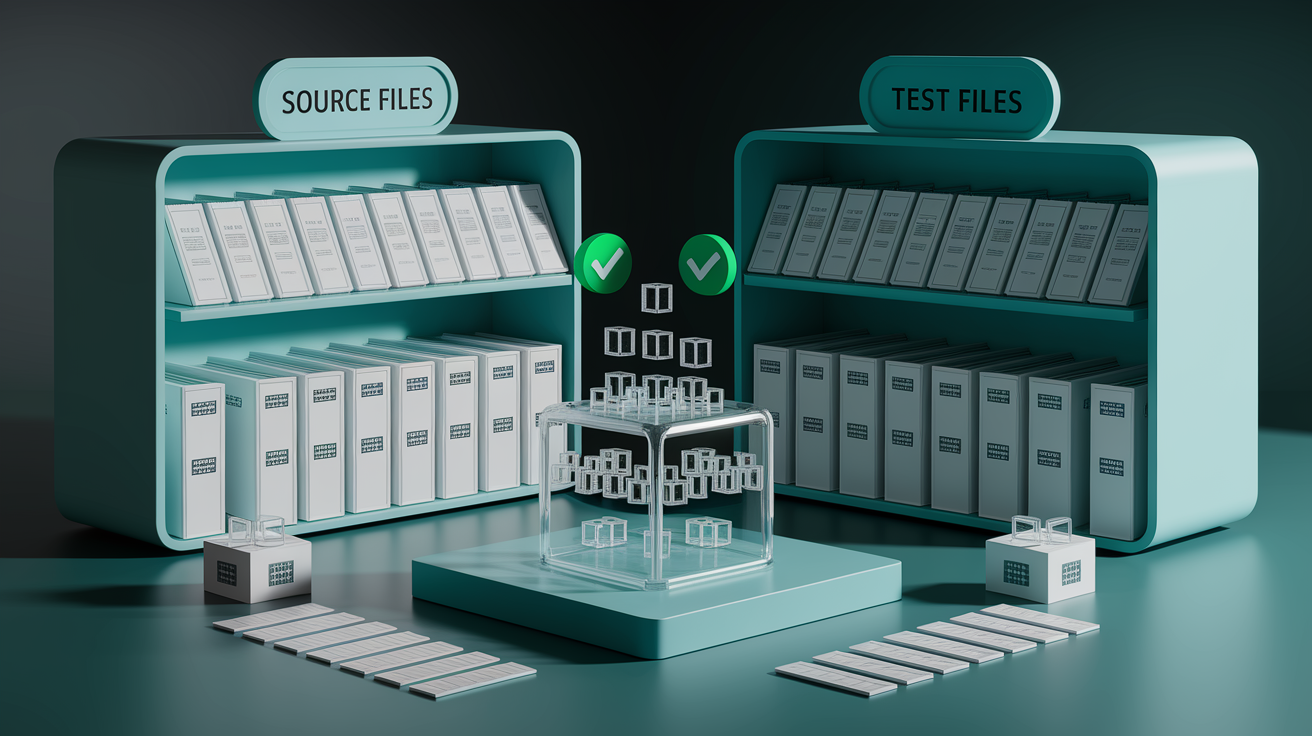
Keep your tests in a folder called test or tests at the root of your project, right next to src. Each test file should mirror the structure of the file it’s testing. If you have src/search.js, create test/search.test.js. This one-to-one mapping makes it easy to find the tests when you’re editing code and easy to find the code when a test fails.
test/ stores all test files, named filename.test.js
test/fixtures/ holds sample data files, mock JSON, or test-specific assets
test/snapshots/ contains saved output snapshots if you’re using snapshot testing
Keep utility functions pure. They should take inputs and return outputs without touching anything outside their scope. Pure functions are easier to test because you don’t need to set up fake environments or mock dependencies. When you find yourself testing private functions, ask if they should actually be separate modules. If a function is complex enough to need its own tests, it’s probably doing enough work to deserve its own file.
Configuration Files and Environment Variables

Configuration files live at the root of your project where build tools and editors expect to find them. Files like .env, .gitignore, and rollup.config.js should sit next to your package.json. This flat layout means tools don’t have to hunt through folders, and you don’t have to remember custom paths when setting up automation.
Environment variables go in a .env file for secrets and environment-specific settings like API keys or database URLs. Add .env to your .gitignore immediately so you don’t accidentally commit sensitive data. For public configuration like feature flags or build options, use a JavaScript config file that you can document and version control. A single config object that you import where needed keeps settings in one place and makes it easy to drop unused options when the project changes.
Documentation, README Placement, and Long-Term Maintainability

Your README.md file goes at the root of the project where GitHub and other tools display it automatically. Write it for someone who’s never seen your project before. Explain what it does in one sentence, how to install it, and how to run it. If there are quirks or decisions that aren’t obvious, add a short architecture section that explains why you structured things the way you did.
Use JSDoc comments inside your JavaScript files to document functions, especially if they take parameters or return specific types. Your editor will pick up those comments and show them as inline help while you’re coding. Six months from now, you’ll be grateful for the hints.
Keep a changelog in CHANGELOG.md if the project has releases or multiple contributors. Add a CONTRIBUTING.md if you want others to help maintain the code. Document any build or deployment steps in the README, not in external wikis. And update the README when you make architectural changes so the docs match reality.
Final Words
You set up a simple src to dist workflow, started with a single index.js, and learned file-level ordering and naming so code stays readable.
You saw folder patterns (feature vs responsibility), when to split modules, and tidy import/export habits. We also covered assets, minimal build tools, and a short testing and config checklist to keep things clean.
Use this as a practical blueprint for how to structure small javascript projects and file organization. Keep it small, keep it predictable, and enjoy building.
FAQ
Q: What is the simplest starting structure for a small JavaScript project?
A: The simplest starting structure for a small JavaScript project is a project folder with src/index.js, a dist folder for output, and a minimal package.json—split files only when needed for clarity.
Q: Why should I use src and dist folders?
A: Using src and dist folders separates your editable source from compiled or final output, keeps builds predictable, and makes deployment and debugging simpler with minimal tooling like npm scripts.
Q: When should I split code into multiple files or modules?
A: You should split code into modules when a file becomes long, forces frequent scrolling, or needs separate testing; group related logic rather than creating one file per tiny function.
Q: Should I organize files by feature or by responsibility?
A: You should pick feature-based layout for apps (group by feature) and responsibility-based layout for libraries (group by role), and avoid deep nesting so the tree stays easy to scan.
Q: How should I name files and order code inside a JS file?
A: You should use kebab-case filenames, put variables/constants at the top, functions and helpers in the middle, and initializations or event listeners at the end; add JSDoc for clarity.
Q: What import/export pattern works best for small projects?
A: The best import/export pattern uses ESM, groups imports by native/library/local order, places exports near the top to show intent, and uses a single index export when it keeps things simple.
Q: How should I organize assets, styles, and public files?
A: You should organize assets into clear folders like /assets, /img, /css, /fonts, keep JS in /js or src, and inline tiny scripts under about 14kb only when it simplifies delivery.
Q: Which build tools and npm scripts are recommended for small projects?
A: For small projects use minimal npm scripts for build and dev tasks, pick Rollup for libraries if needed, and avoid webpack’s complexity unless your project truly requires it.
Q: How do I structure simple tests for a small project?
A: You should put tests in a tests/ or tests folder, focus on testing public behavior and pure utilities, keep fixtures local to tests, and avoid overexposing private helpers just for testing.
Q: Where should config files and environment variables live?
A: Config files and .env belong at the project root, with bundler configs like rollup.config.js beside package.json; centralize configs so unused tools can be removed easily.
Q: How should I document a small project for long-term maintainability?
A: You should place README at the repo root, record architecture decisions and setup steps, add JSDoc in files, and keep the README updated with scripts and contribution notes.