

Stop attaching event listeners to every button.
It’s a maintenance and performance trap.
DOM event delegation means you put one listener on a parent and let events bubble up so one handler can manage many children.
In this post you’ll get clear, hands-on examples (tables, lists, tooltips, data-action patterns) and the exact code tricks like event.target.closest (walks up the tree) and dataset (data attributes) use.
By the end you’ll know when delegation wins, when to bind directly, and how to write lean, reliable handlers that scale.
Mastering Event Delegation Basics for DOM Interactivity

Event delegation is where you stick a single event listener on a parent element instead of attaching separate ones to every child. You use it to simplify your code, handle elements that get added or removed after the page loads, and keep memory usage low when you’re dealing with tons of similar elements. Instead of writing 50 click handlers for 50 buttons, you write one handler on their shared container and let it figure out which button got clicked.
The basic mechanism works like this: you put one listener on a parent, then check event.target to see which child actually fired the event. If you’re dealing with nested tags (like a <span> tucked inside a button), you use event.target.closest('button') to walk up the tree until you hit the element you care about. That’s the whole idea. One listener, inspect the target, act accordingly.
Here’s a minimal example. Imagine a <ul> with several <li> items. Instead of attaching a click listener to each <li>, you attach one to the <ul> and check event.target.tagName === 'LI' or use event.target.closest('li') to confirm the click landed on a list item. The code looks like this:
const parent = document.querySelector('ul');
parent.addEventListener('click', function(e) {
  const item = e.target.closest('li');
  if (!item) return;
  console.log('Clicked:', item.textContent);
});
Core benefits of delegation:
- Scales to any number of child nodes. Whether you’ve got 3 buttons or 300, you still use one listener.
- Handles dynamic children automatically. Add or remove elements without touching event bindings.
- Centralizes event logic. All related handling lives in one function instead of scattered across many callbacks.
- Reduces total listener count. Fewer active listeners means lower memory footprint and simpler debugging.
Understanding Event Bubbling and Capturing for Delegation Success

When an event fires on an element, it doesn’t just stay there. It travels through the DOM in two phases: capturing (downward from the root to the target) and bubbling (upward from the target back to the root). Event delegation relies on bubbling. When you click a button, the click event bubbles up through all its parent elements until it reaches document or gets stopped. Your delegated listener sits on one of those ancestors and catches the event as it bubbles past.
Most events bubble by default, which is why delegation works so well for clicks, keypresses, form changes, and similar interactions. But some events don’t bubble at all. focus and blur are the most common examples. If you try to delegate focus or blur events, your parent listener will never fire because the event stops at the original target and doesn’t propagate upward. For those cases, use focusin and focusout instead. They’re equivalents that do bubble. Or just attach listeners directly to the elements that need them.
| Phase | Description |
|---|---|
| Capturing | Event travels down from root to target. Rarely used. Opt in via third argument to addEventListener. |
| Bubbling | Event travels up from target to root. Default behavior. Delegation relies on this phase. |
| Non-bubbling | Some events (focus, blur, scroll on some elements) don’t bubble. Use alternatives or direct listeners. |
Direct Binding vs Delegated Listeners in Real Code
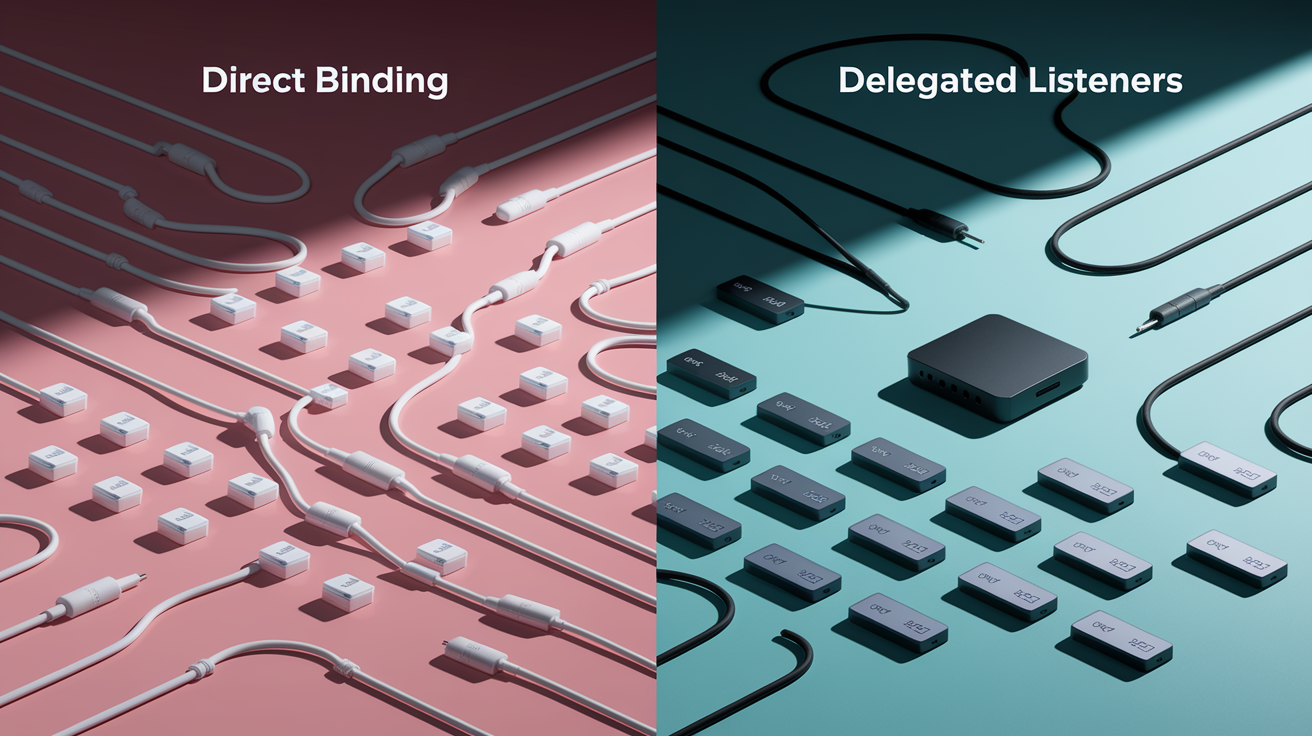
Direct binding means calling addEventListener on each child element individually. If you’ve got three buttons, you loop through them and attach three separate listeners. That works fine for a small static set. But it becomes repetitive and fragile as soon as you start adding or removing elements. Every new button requires a new listener, and if you forget to remove a listener when you delete a button, you risk memory leaks or stale references.
Delegation flips that around. You attach one listener to a common parent (like a <div> that wraps all the buttons) and let that single listener handle clicks from any button inside. When a button is added later via JavaScript, the parent listener automatically picks it up. When a button is removed, there’s nothing to clean up because the listener was never on the button in the first place. You go from managing N listeners to managing one.
Performance Difference in Practice
Fewer listeners reduce memory and overhead. In a simple scenario with three buttons, the difference is negligible. Three listeners versus one won’t move the needle. But imagine a to-do list with 50 items, each with edit and delete buttons. Direct binding creates 100 listeners (50 × 2). Delegation creates one listener on the list container. That’s a 100-to-1 reduction. The browser spends less memory tracking handlers, garbage collection has less work to do, and the event dispatch loop runs faster because it’s not invoking 100 separate callbacks.
Practical DOM Event Delegation Examples You Can Try

Start with a table that highlights cells on click. Instead of adding a click listener to every <td>, you add one to the <table>. When a cell is clicked, event.target might be the <td> itself, or it might be a nested tag like <strong> if the cell contains bold text. Use event.target.closest('td') to walk up the tree until you find the cell. Then check that the cell belongs to your table (in case you have multiple tables on the page) and apply the highlight. This pattern scales perfectly. Whether you have 9 cells, 99 cells, or 9,999 cells, the handler stays the same.
Another common example is a list of messages with a close button on each. Instead of binding a click to every [x] button, you attach one listener to the messages container. Inside the handler, use event.target.closest('.close-button') to identify the button, then remove its parent message element. The same logic applies to a tree menu where each folder title can expand or collapse. Wrap each title in a <span class="title">, attach one click listener to the root <ul>, and use event.target.closest('.title') to find the clicked title. Ignore clicks that land outside the title spans.
Here are five delegation patterns you can implement right now:
- Highlight table cells. One click listener on
<table>, useevent.target.closest('td'), verify the cell belongs to the table, toggle ahighlightclass. - Hide messages. One click listener on the messages container, use
event.target.closest('.close-button'), remove the button’s parent message. - Tree menu. One click listener on the root
<ul>, useevent.target.closest('.title'), toggle the parent<li>open/closed class. - Sortable table. Click listener on
<thead>, useevent.target.closest('th'), readth.dataset.type(string or number), sort rows and re-render. - Tooltip on hover.
mouseoverandmouseoutlisteners ondocument, useevent.target.closest('[data-tooltip]'), show/hide one tooltip at a time, position 5px from element, center when possible, avoid window edges.
Using Data‑Attributes and Behavior Patterns for Cleaner Delegation

Data attributes let you declare behavior in your HTML and route it in JavaScript without hard-coding element IDs or classes. Imagine a menu with buttons labeled “Save,” “Load,” and “Search.” Instead of writing separate handlers for each button, you add data-action="save", data-action="load", and data-action="search" to the buttons, then attach one click listener to the menu container. Inside the listener, read event.target.dataset.action and call the corresponding method on a menu object. this[action]() where action is "save", "load", or "search". You need to bind the handler so this refers to your menu object instead of the DOM element, otherwise this[action] will fail.
The same pattern extends to declarative behaviors that non-JavaScript authors can add. A data-counter attribute can increment a display on each click. A data-toggle-id="menu" attribute can show or hide the element with id="menu". You can even combine multiple behaviors on one element. The key is a single document-level handler that checks for the presence of these attributes and runs the appropriate logic. Always use document.addEventListener(...) instead of document.onclick = ... because the latter overwrites any existing handler, while addEventListener stacks multiple handlers cleanly.
- data-action pattern. Map attribute values to object methods (save, load, search) and call them dynamically.
- data-counter pattern. Increment a number display on each click. The handler finds the element with the counter ID and updates its text.
- data-toggle-id pattern. Toggle visibility of an element by ID. The handler reads the ID from the attribute and toggles a
hiddenclass or style.
Mapping DOM Targets Correctly: event.target, currentTarget, matches, and closest
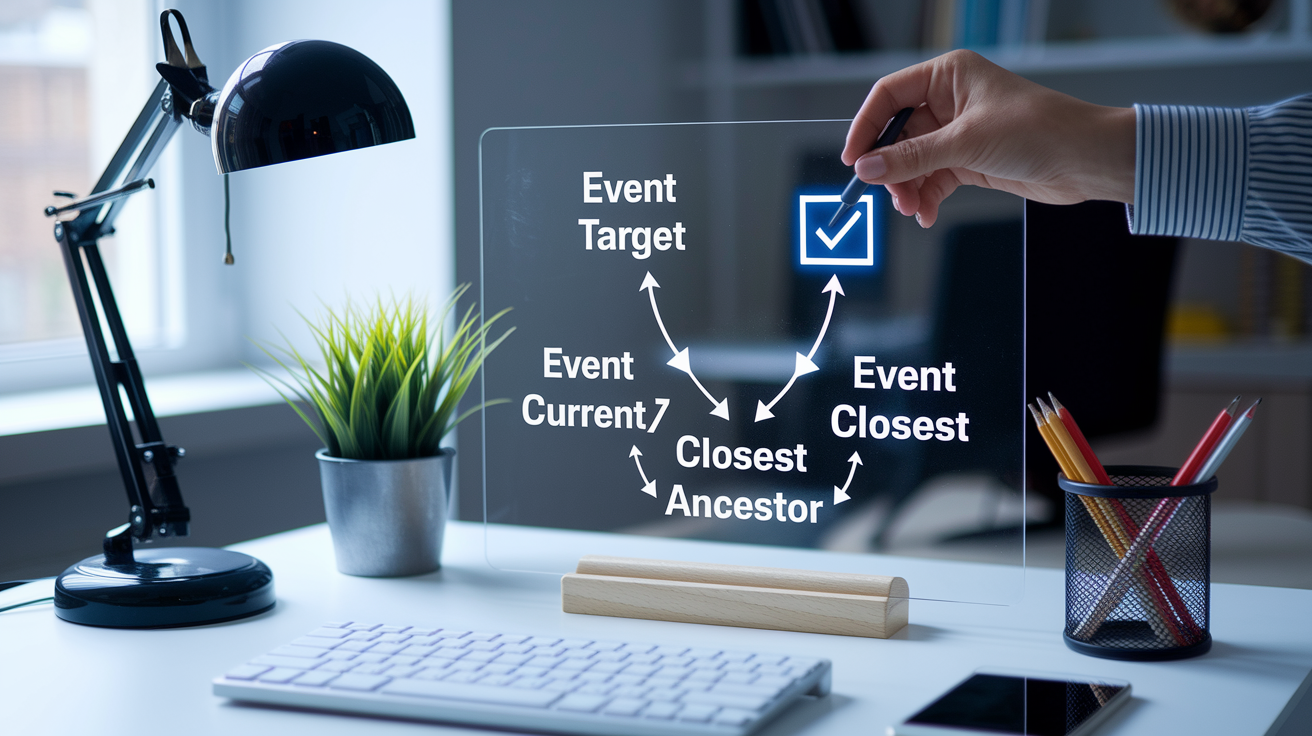
event.target is the actual element that fired the event. The deepest element in the tree that received the user action. If you click a <strong> tag inside a <button>, event.target is the <strong>. event.currentTarget is the element the listener is attached to, the parent container in a delegated setup. Most of the time you care about event.target because that’s where the click landed, but you need to walk up the tree to find the element you’re interested in. That’s where event.target.closest(selector) comes in. It starts at event.target and walks up the ancestors until it finds a match or hits the root. If it finds nothing, it returns null, which you use as a guard to exit early and ignore irrelevant clicks.
You can also use event.target.matches(selector) to test whether the target itself matches a selector, but matches doesn’t walk up the tree. If you click a nested element, matches will return false even if a parent matches. closest is more forgiving because it checks the target and all ancestors, which makes it the safer choice for delegation. Once you’ve found the right element, verify it belongs to your container by checking container.contains(element) before proceeding. This prevents your handler from acting on elements outside its scope when you have multiple containers on the page.
Preventing Common Event Delegation Mistakes

The biggest mistake is calling event.stopPropagation() in a low-level handler. When propagation stops, the event never reaches your delegated listener sitting higher in the tree, and your handler silently fails. If you’re debugging a delegated handler that isn’t firing, check for stopPropagation calls in other listeners on the same element or its children. Another pitfall is forgetting that focus and blur don’t bubble. If you try to delegate focus events, your parent listener won’t fire. Use focusin and focusout instead, or attach listeners directly to the focusable elements.
Nested elements can also trip you up. If you check event.target.tagName === 'BUTTON' but the click lands on a <span> inside the button, the check fails. Always use closest to find the intended element. Delegating high-frequency events like mousemove or scroll can increase CPU usage because the parent handler fires on every event, even when the target isn’t relevant. For those cases, consider throttling or direct binding.
| Issue | Fix |
|---|---|
| stopPropagation prevents delegated handler from firing | Avoid stopPropagation in child handlers or use capturing phase instead. |
| focus/blur events do not bubble | Use focusin/focusout or attach listeners directly to focusable elements. |
| event.target is a nested child element | Use event.target.closest(selector) to find the intended parent. |
| High-frequency events (mousemove, scroll) cause CPU overhead | Throttle the handler or use direct binding for critical performance paths. |
Event Delegation Performance and Memory Tips

Delegation reduces the number of active event listeners, which directly lowers memory usage. A browser stores metadata for each listener (callback reference, options, element reference) and that adds up when you have hundreds of elements. By replacing N child listeners with one parent listener, you cut memory overhead and simplify garbage collection. When you remove child elements, you don’t have to worry about cleaning up their listeners because the listener was never attached to them in the first place.
The CPU cost of delegation is usually negligible. Yes, the parent handler fires on every event, even when the target isn’t relevant, but checking event.target.closest(selector) and returning early is extremely fast. For typical use cases (lists, tables, forms, menus) the performance gain from fewer listeners outweighs the tiny overhead of irrelevant event checks. The exception is high-frequency events like mousemove or scroll. If you delegate those to a document-level handler, it fires constantly, and even fast checks add up. In those cases, attach listeners directly or throttle the handler to run at most once every N milliseconds.
- Fewer listeners mean lower memory. Replacing 50 child listeners with one parent listener reduces memory footprint and simplifies cleanup.
- Event checks are fast.
closestand early-return guards run in microseconds. The overhead is negligible for normal interaction events. - High-frequency events need care. Delegate
mousemoveorscrollonly if you throttle or debounce the handler to avoid constant execution.
Testing and Debugging Delegated Handlers in the DOM

Start by logging event.target and event.currentTarget inside your handler. This shows you exactly which element fired the event and which element is listening. If your handler isn’t firing, check the browser’s event listener inspector (DevTools, Elements, Event Listeners) to confirm your listener is attached and at the correct level in the tree. If you see a listener on a child element calling stopPropagation, that’s your problem. Remove it or switch to the capturing phase.
Test dynamic additions by adding and removing elements in the console while the page is running. If delegation is set up correctly, new elements should work without any code changes. Use guard clauses liberally. If event.target.closest(selector) returns null, return immediately and don’t proceed with the handler logic. This prevents errors when clicks land on unrelated elements. For unit testing, fire synthetic events on test DOM structures and assert that your handler produces the correct side effects (class toggles, content changes, calls to other functions). Sandboxed demos on CodePen or JSFiddle let you experiment safely and share reproducible cases when you’re stuck.
Practice Tasks for Mastering Event Delegation

These four tasks cover the most common delegation patterns you’ll use in real projects. Work through them step by step, logging event.target and event.currentTarget to see how events flow. Each task uses delegation at the container or document level and handles dynamic or nested elements.
-
Hide messages with a single container listener. Build a list of messages, each with a close button labeled
[x]. Attach one click listener to the container. Useevent.target.closest('.close-button')to identify the button, then remove its parent message. Add new messages dynamically and confirm the handler picks them up without rebinding. -
Tree menu with delegated expand/collapse. Wrap each folder title in a
<span class="title">. Attach one click listener to the root<ul>. Inside the handler, useevent.target.closest('.title')to find the clicked title. Ignore clicks that land outside title spans. Toggle anopenclass on the parent<li>to show or hide child lists. -
Sortable table by column header. Attach one click listener to
<thead>. Useevent.target.closest('th')to identify the clicked header. Readth.dataset.type(either “string” or “number”). Sort the table rows by the corresponding column, using string comparison for “string” types and numeric comparison for “number” types. Re-render the sorted rows. Test with large tables (any number of rows and columns). -
Tooltip behavior with data attributes. Attach
mouseoverandmouseoutlisteners todocument. Useevent.target.closest('[data-tooltip]')to detect elements with tooltip content. Show one tooltip at a time. Position it 5px from the element, centered when possible, avoiding window edges. Switch from above to below the element if there’s no space above. Read tooltip content fromdata-tooltipand allow arbitrary HTML inside.
Final Words
We wired a single parent listener, checked event.target, and used closest() to catch clicks from nested or dynamic children. You ran a minimal addEventListener example and saw guard clauses keep things tidy.
You compared direct binding vs delegation, learned data-attribute patterns, and practiced debugging and performance checks. Try the small tasks to lock it in.
If you follow the practice steps, you’ll know how to learn DOM event delegation with practical examples — and you’ll build cleaner, faster UIs.
FAQ
Q: What is a real life example of event delegation?
A: A real-life example of event delegation is adding one click listener to a table body that handles clicks on any cell, using event.target or target.closest(‘td’) to manage dynamic rows.
Q: What are the 3 C’s of effective delegation?
A: The 3 C’s of effective delegation are clear instructions, capability, and checkpoints: define success, ensure the person has skills and resources, then schedule short follow-ups to catch issues early.
Q: How does event delegation work in the DOM?
A: Event delegation in the DOM works by attaching one listener to a parent element, then inspecting event.target (or using closest()) to run the right child-specific logic for existing and future elements.
Q: What are the 7 steps of delegation?
A: The 7 steps of delegation are define the task and outcome, choose the right person, clarify expectations and authority, provide resources, set deadlines, agree checkpoints, and review with feedback.